Configuring Codex App
Codex App is OpenAI’s desktop Codex agent, integrated into the ChatGPT desktop app. You can use it on macOS to read, modify, and run local code, with the same coding-assistant experience as Codex CLI.
Prerequisites
- Install the ChatGPT desktop app (macOS) and make sure it is updated to a version that supports the Codex agent
- Enable “Use local Codex agent” (or the corresponding experimental toggle) in Codex App settings
- Install Node.js 18 or higher, since Codex App reuses Codex CLI under the hood
Configure Codex App
Codex App shares its configuration with Codex CLI. Open the ~/.codex/auth.json configuration file and enter the API Key you obtained from the Developer Console:
{
  "OPENAI_API_KEY": "$YOUR_API_KEY"
}
Open the ~/.codex/config.toml configuration file and, depending on your subscription plan, copy the matching template below verbatim:
config.toml
For users on the pay-as-you-go API plan. Requests are served via the /beta/v1 endpoint and billed per request.
model_provider = "originrouter"
model = "gpt-5.5-2026-04-23"
# 您可以替换为标准模型列表中的其他模型,也可以使用携带路由的模型 ID,例如:
# model = "gpt-5.5-2026-04-23:codex"
# 更多模型请参考 https://originrouter.com/console/#models
model_reasoning_effort = "high"
disable_response_storage = true
preferred_auth_method = "apikey"

[model_providers.originrouter]
name = "originrouter"
base_url = "https://api.easytransnote.com/beta/v1"
wire_api = "responses"
requires_openai_auth = true
With an OriginRouter One subscription, choose the corresponding Coding API endpoint and make sure the model ID comes from the Supported Models list; with the pay-as-you-go API plan, choose the corresponding Beta API endpoint and make sure the model ID comes from the Model List; a plan and endpoint mismatch may make models unavailable or result in unexpected billing.
Always be careful when editing the configuration file. Unless you are sure what you are doing, please copy the templates above verbatim — do not add, remove, or rename fields, model names, or endpoint URLs. Otherwise Codex App may fail to connect, your subscription may be billed incorrectly, or requests may be routed to the wrong model.
Start Codex App
Reopen Codex App and you can start using the models provided by OriginRouter right away.
If you are on the pay-as-you-go API plan, please note that the model IDs on OriginRouter are not standard ChatGPT model names. Do not switch models from the Model dropdown above the Codex App input box — otherwise requests may fail to map to the correct model and result in unexpected billing. The reasoning effort is not affected by this and can be set freely.
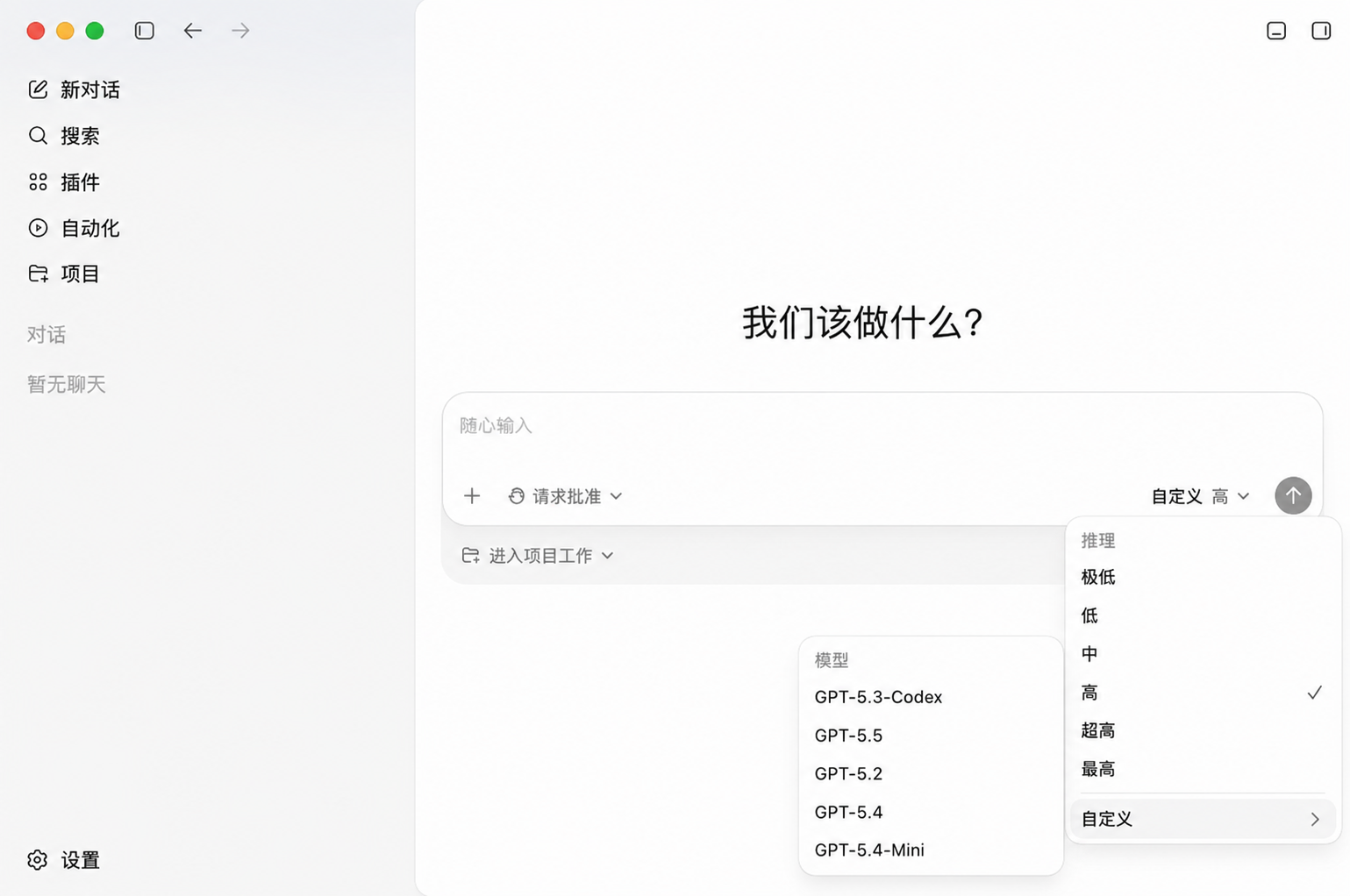
If you are on the Coding Plan (OriginRouter One), the above restriction does not apply — you can freely switch both the model and the reasoning effort.
All requests will be routed through OriginRouter automatically.